Why phone photos often look soft or low-resolution
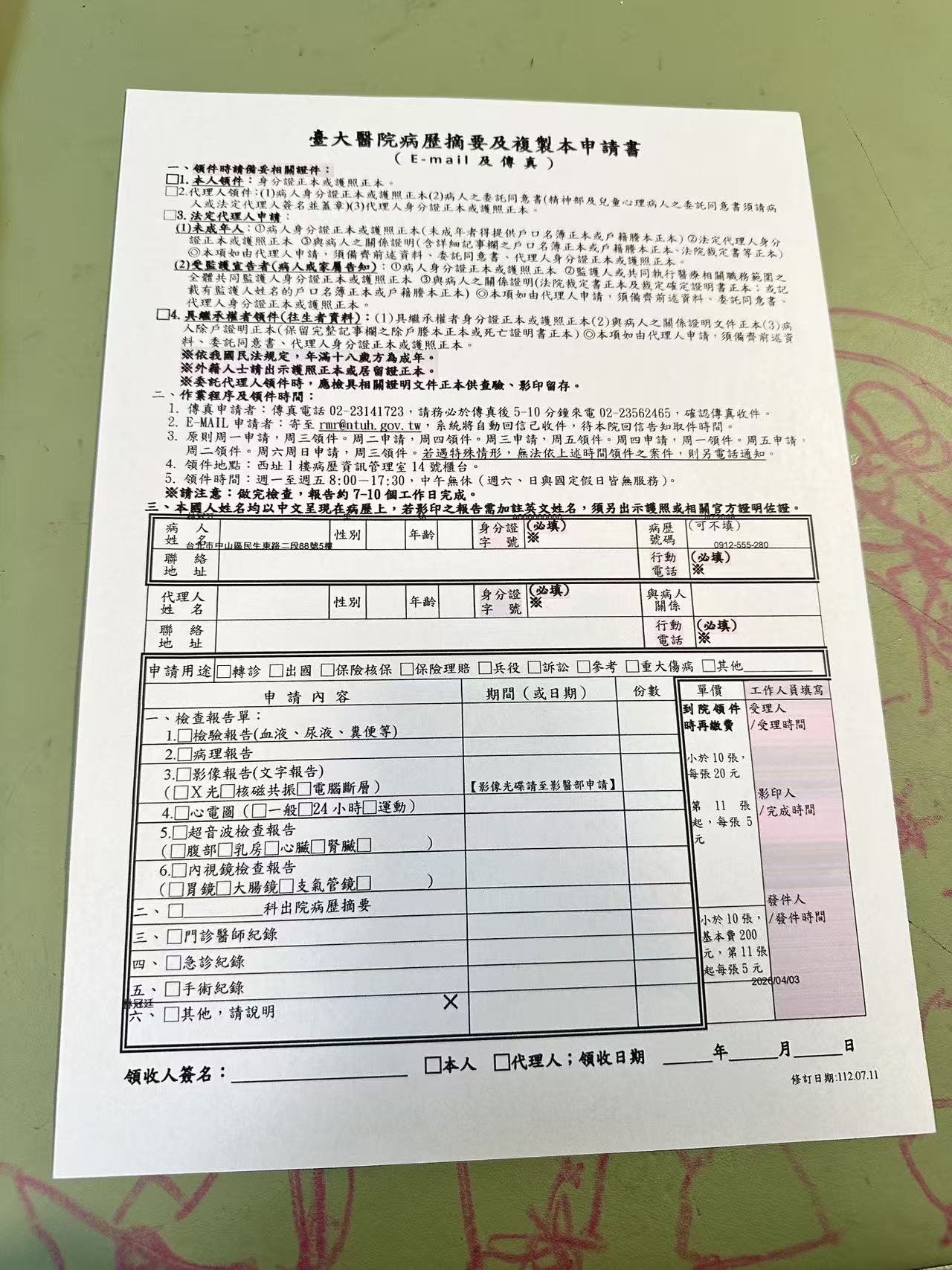
A flatbed scanner captures a document under fixed focus and controlled light, at a resolution set by the hardware. A phone camera has to get all of that right in one handheld shot — and several things can go wrong at once.
- Focus hunting or motion blur from shooting handheld without a tripod
- Photographing from too far away, then cropping in afterward, which reduces the effective pixel density on the text
- Poor lighting forcing a slower shutter speed, which introduces motion blur
- Re-compression when the photo is shared over messaging apps before it's uploaded, softening detail further
The result: a page that's technically readable, but where small print, fine lines, and signatures look fuzzy — not sharp enough for institutions that reject photos flagged as low quality.
How the enhancement works
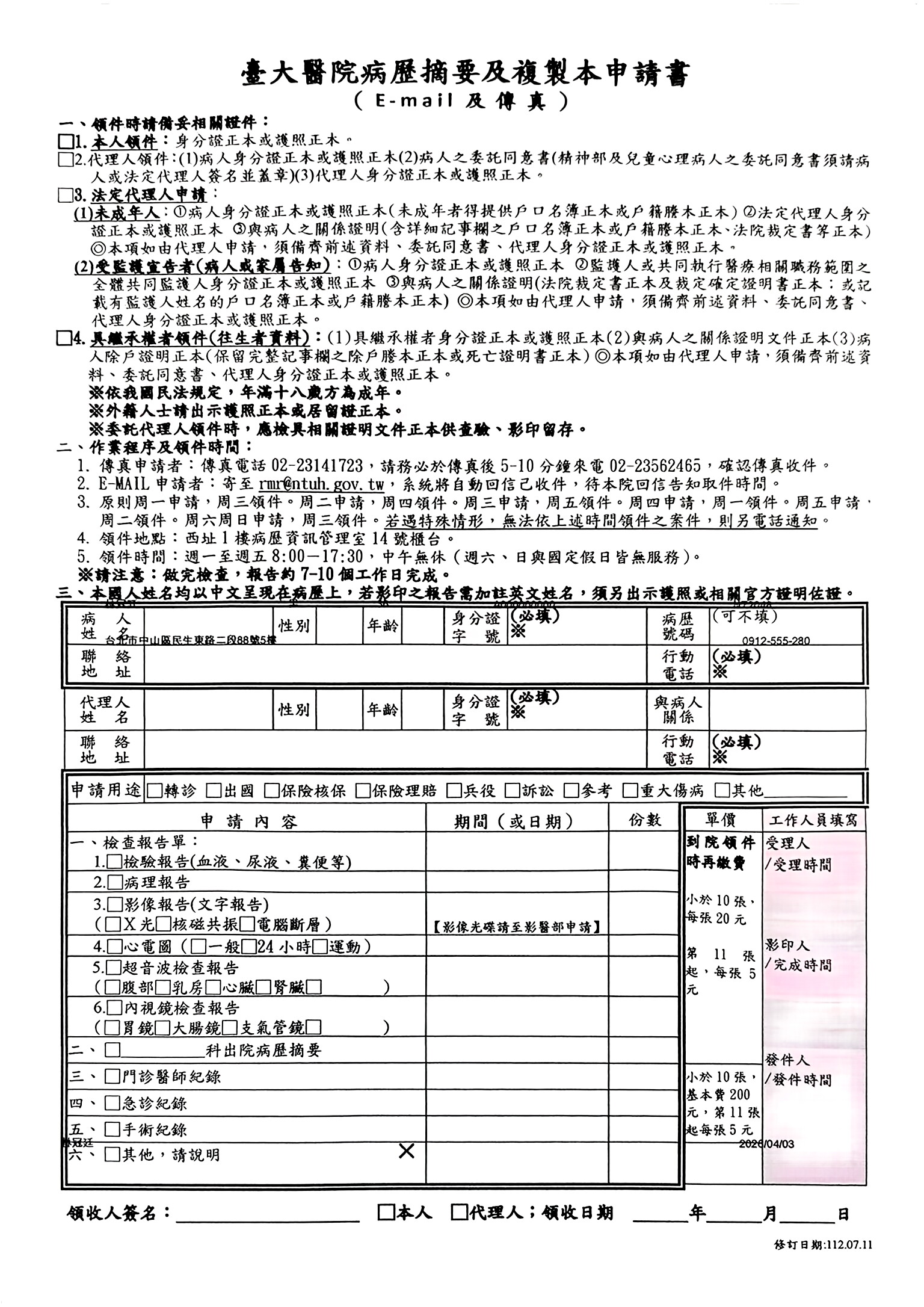
- Text-edge detection — locating character strokes and field lines rather than sharpening the whole image uniformly
- Noise and artifact reduction — cleaning up JPEG compression blockiness and low-light grain before sharpening, so the process doesn't amplify noise
- Contrast and clarity boost — strengthening the separation between ink and paper so fine print and thin lines become distinguishable
This is not a uniform "sharpen" filter, which tends to exaggerate paper texture and noise along with the text. The correction is applied selectively, where it improves legibility.
How to use it
- Step 1 — Upload your document photo (JPG, PNG, HEIC, WebP)
- Step 2 — PhotoToScan automatically sharpens text and boosts clarity
- Step 3 — Preview the result, then download as JPG or PDF
No account required to preview. Works in any browser, on any device.
When to use this
- Photos taken quickly with a phone, from a slight distance
- Documents forwarded through messaging apps that have already been re-compressed once
- Dense forms and contracts with small print or fine-print disclosures
- Signatures and stamps that need to stay identifiable
- Photos taken in dim indoor lighting where the camera used a slower shutter speed
Frequently asked questions
- Can it fix a photo that's completely out of focus?
- PhotoToScan improves moderate blur and softness — text that's slightly out of focus or affected by minor motion blur. If a photo is severely out of focus to the point the text is unreadable by eye, no processing can recover detail that was never captured.
- Does this add fake detail or just sharpen what's there?
- The model sharpens and clarifies detail that already exists in the original photo, recovering legibility lost to blur, compression, or low light. It does not invent or hallucinate text.
- Will it help photos that were compressed by messaging apps?
- Yes. Photos forwarded through WhatsApp or similar apps are usually re-compressed, softening fine detail. The clarity enhancement is well-suited to recovering legibility lost in that second compression pass.
- Does enhancement work together with shadow or crease removal?
- Yes. Lighting, geometry, and clarity corrections are all applied together in a single pass, so a photo that's both blurry and shadowed comes back clean on all fronts at once.
Also try
See real document examples →